Review 3D models with your team and suppliers. AI does the first pass.
Upload your 3D model and the AI checks it against your rules. Every finding and every comment sits on the face it is about. Everyone reviews in the browser, and each version is approved on its own.
Free to start, no credit card needed.
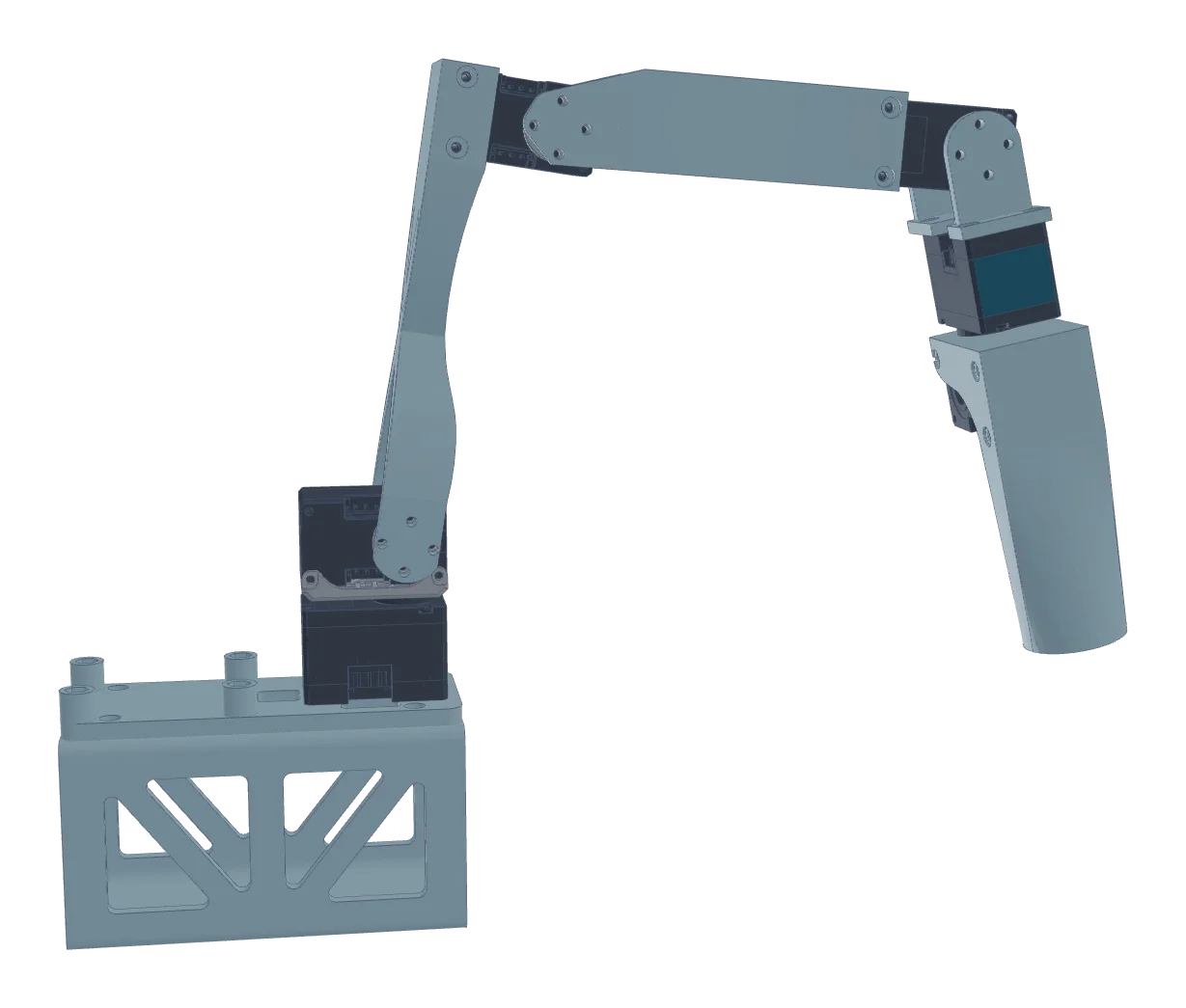

Tom Berger
Long lead time on the XL330-M077 servos. Is there an alternative?

Sarah Collins
Could we loosen the tolerance here to ±0.2? That would save money.

Martin Keller
±0.2 is fine. I will change it in V2.
Approved
by Martin Keller, version 2
What you can do
Fix the obvious before your team gets involved
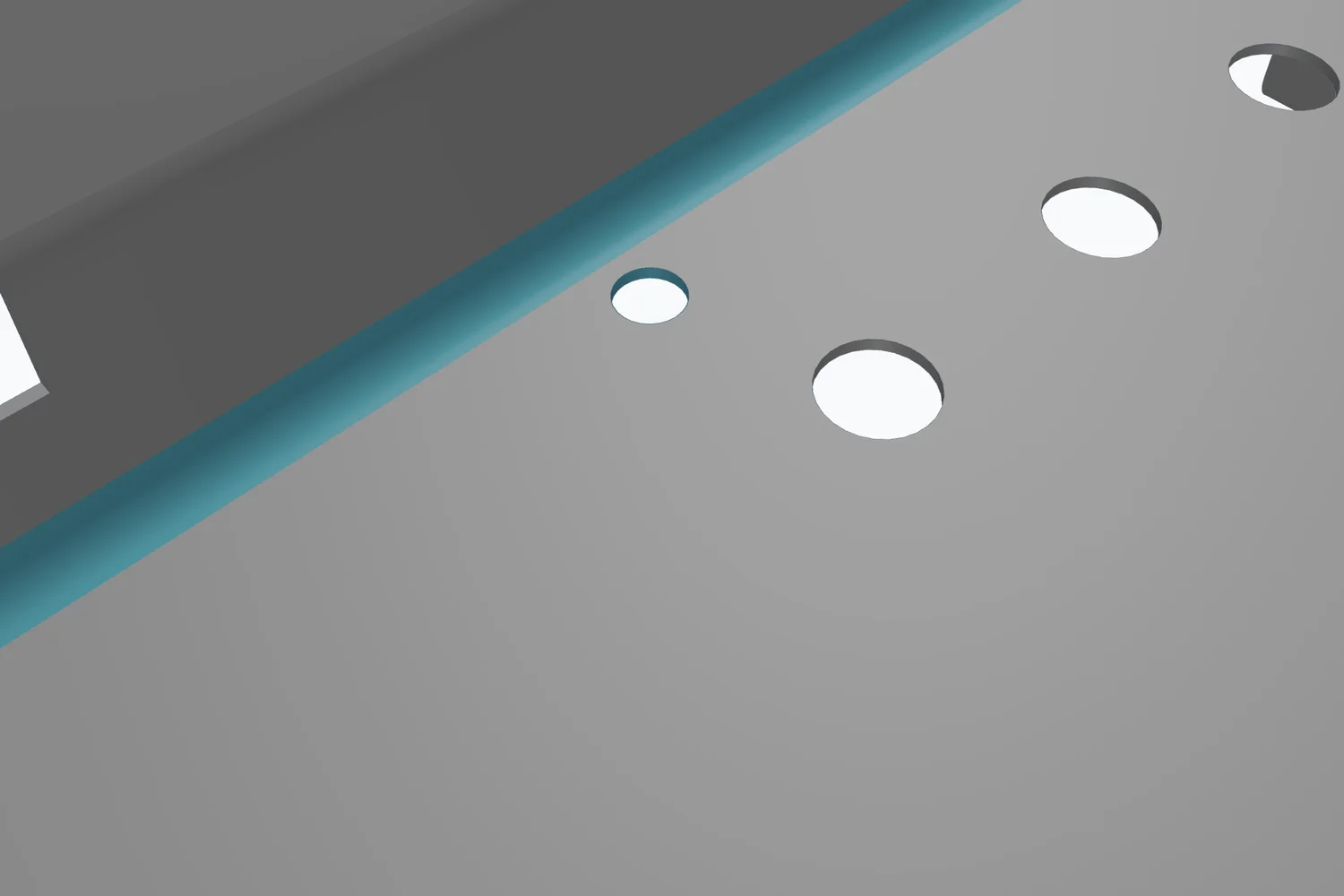
Run the AI review before you share a model. It flags corners a cutter cannot reach, walls too thin to make, holes that are not a standard size and parts that clash, each on the face it is about. When a colleague reviews it, the obvious issues are already fixed.

Pen
AI reviewHole too close to the bend
This Ø10 mm hole sits 3 mm from the bend. It needs at least 10.2 mm, or it deforms when the flange is bent.
Comments on the model
Click a face to comment. The comment keeps its spot, the part and the camera view, so nobody has to ask which hole you meant.
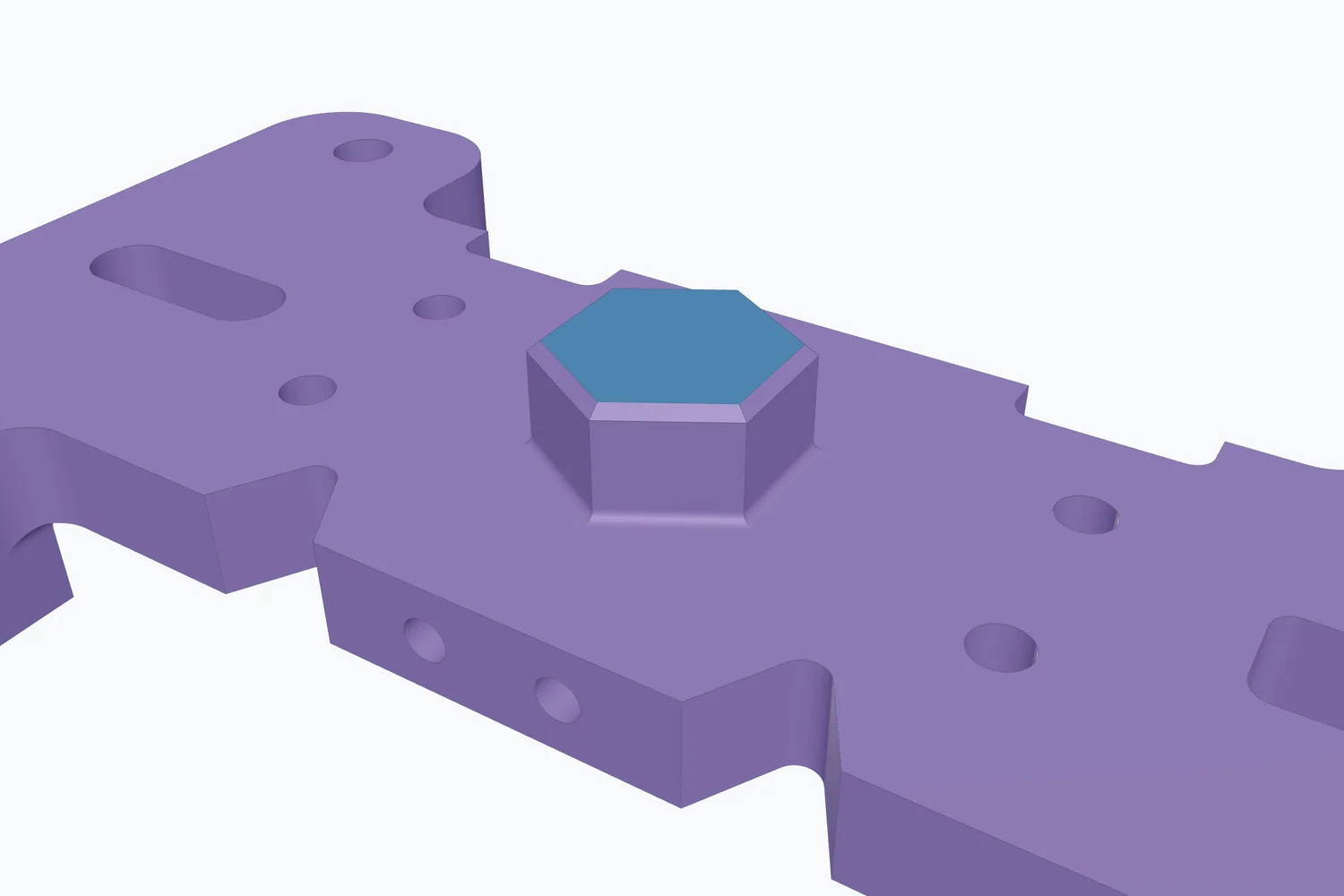
Martin Keller
Can the boss come down by 2 mm? It touches the cover in the assembly.
Your PMI, clear for every reviewer
When the STEP file carries PMI, its dimensions, tolerances and datums are shown on the model and listed next to it. Select one and its faces light up.
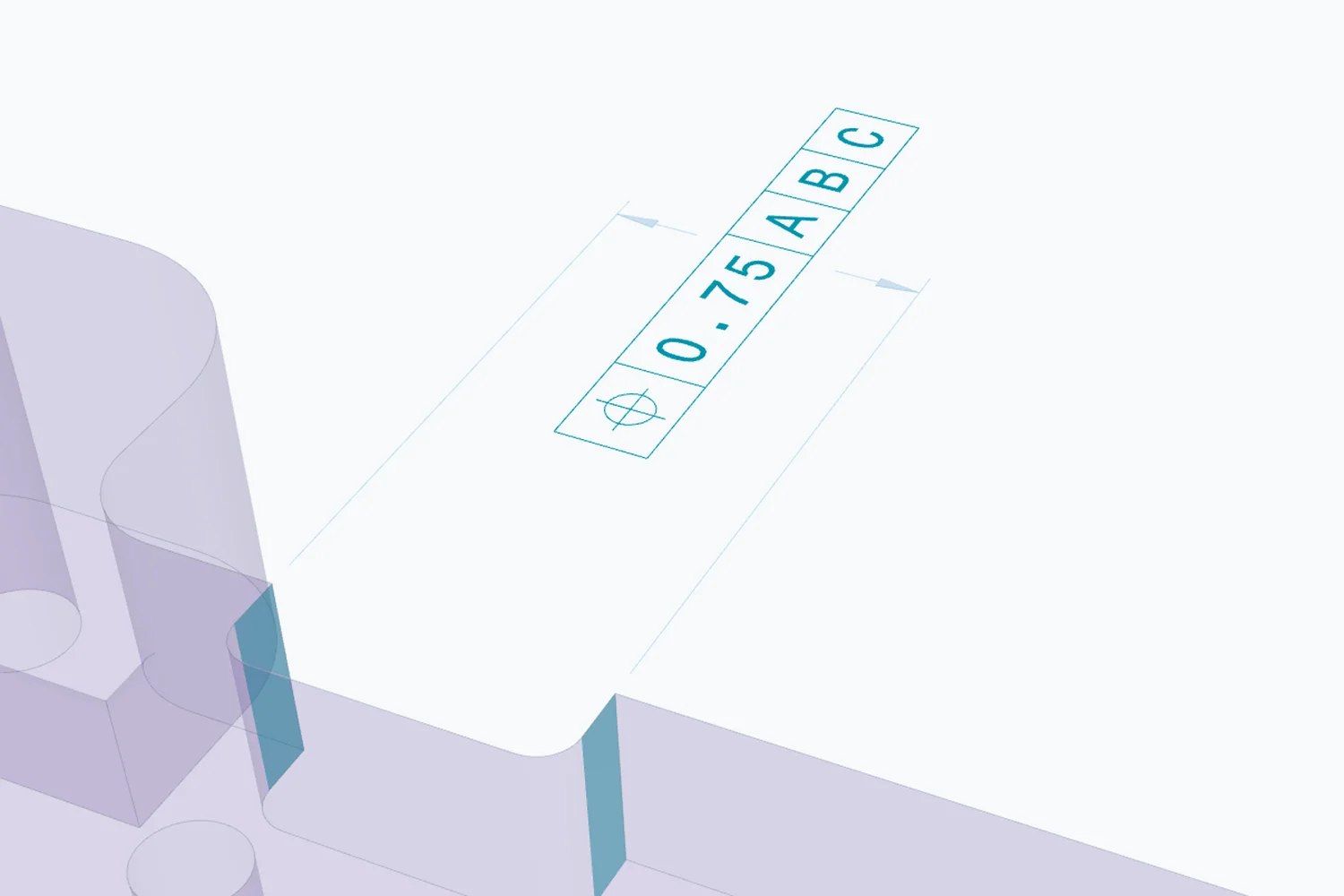
PMI in the model
Position
Surface profile
Flatness
Ask anyone for a review
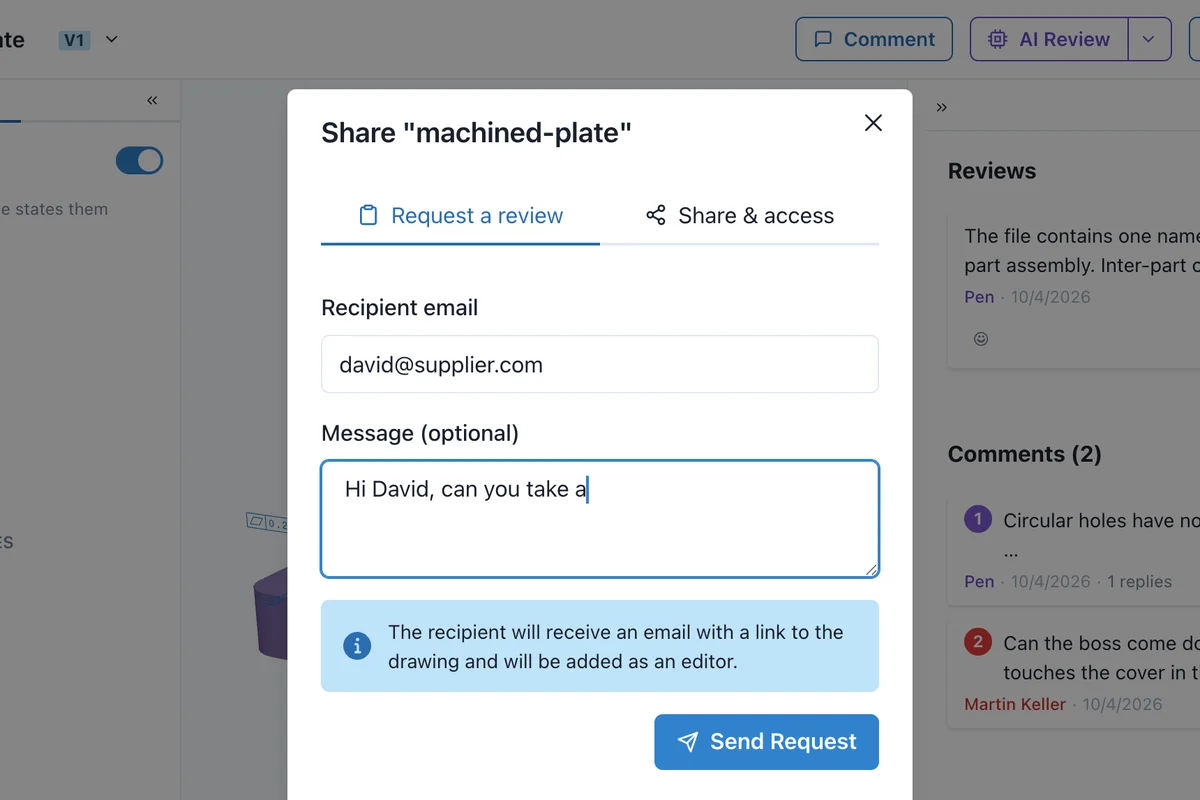
Request a review from colleagues, customers or suppliers. They get the link right away, open the model in the browser, comment on it and approve it, with no CAD license and nothing to install.
Versions and approval
Upload the next version when the design changes. Open comments carry over, and each version is approved on its own.
Version 2
Martin Keller
1 open comment carried over
Version 1
Sarah Collins
Upload version 3
Model and drawings together
Upload the model with its drawings as one package. Reviewers step through every file, and the AI checks the drawings too.
Robot arm, release 2
Package with one 3D model and two drawings
Robot arm
3D model
Approved
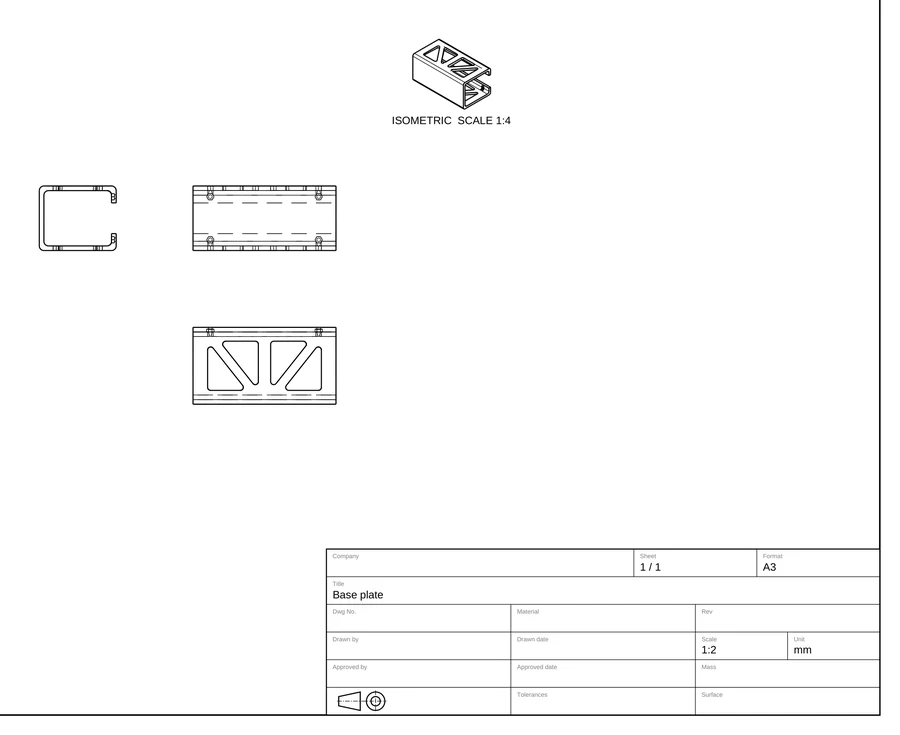
Base plate
Drawing
Approved
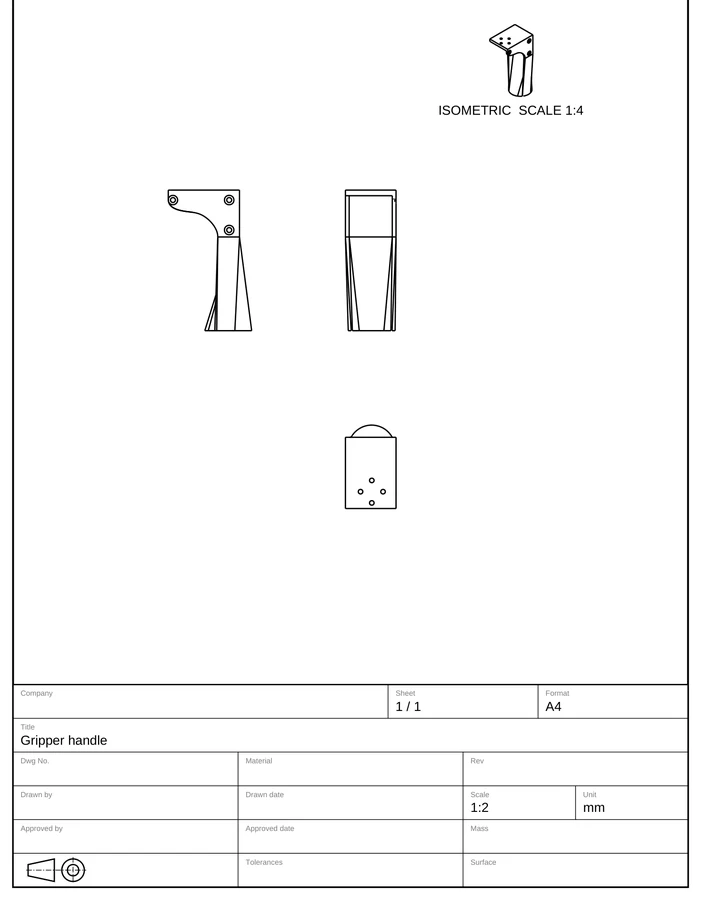
Gripper handle
Drawing
Updated, to review
2 of 3 files approved
How it works
1
Export a STEP file
From SolidWorks, Inventor, Fusion, Onshape, Creo, NX or any other CAD system.
2
Run the AI review
Pick a review profile with your team's rules. The AI checks every model against the same rules and pins its findings to the model.
3
Review with your team
Invite the people who should look at it, inside or outside your company. Comment, answer and approve.
Pricing
From €16 a month billed annually, AI credits included.
Pro
For teams starting with AI review.
€16
/ month
billed annually
for
AI credits / month
1 user included, more users €16 each
AI review of CAD files and drawings
Reviews to your company standards
Comments and approvals in one place
Free guest reviewers
Autodrafting from 3D models
Scale
For orgs standardizing AI review.
€800
/ month
billed annually
for
AI credits / month
Shared by everyone in your organization
Everything in Pro, plus:
Unlimited users
Personal onboarding with our team
Priority support
Enterprise
Your own cloud, on-premise hosting or SSO.
Custom
Unlimited users, credits sized to your organization
SSO / SAML
On-premise or regional hosting
SLA & compliance
Custom CAD & PLM integrations
Start for free with 20 AI credits to try. Uploads, comments and sharing are always free.
Prices shown are before VAT / sales tax
Comments and approvals are included in every seat. An AI review of a 3D model uses 10 to 30 credits, depending on its size.
Frequently asked questions
Faster reviews, cleaner handoffs.
Try it on the model you are working on now.
Free to start, no credit card needed.